How Can We Help?
UC – Changing your Voicemail Greeting from Connect UC
The voicemail greeting can be changed from the ConnectUC app.
- Click on the user icon in the top left of the ConnectUC screen
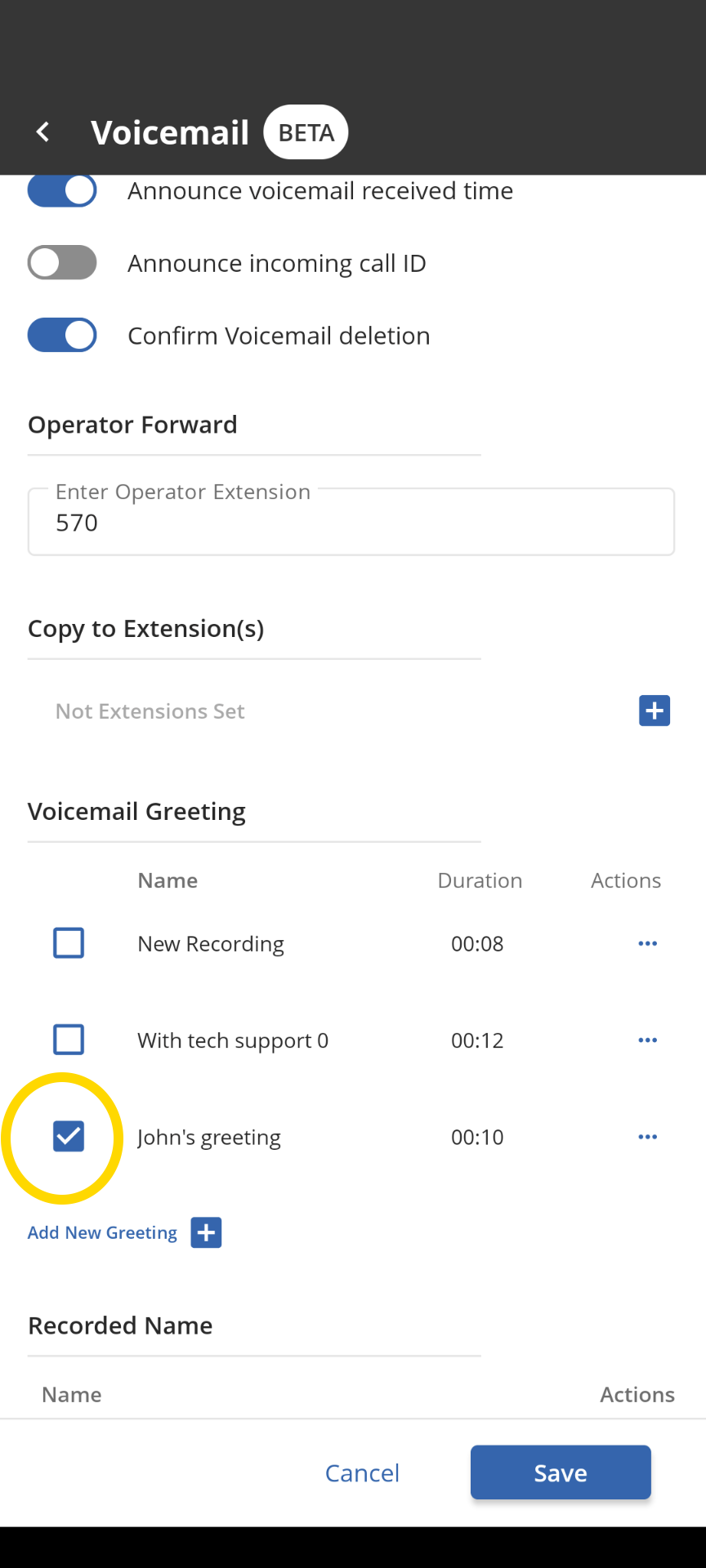
- Preferences->Voicemail
- Select Add New greeting

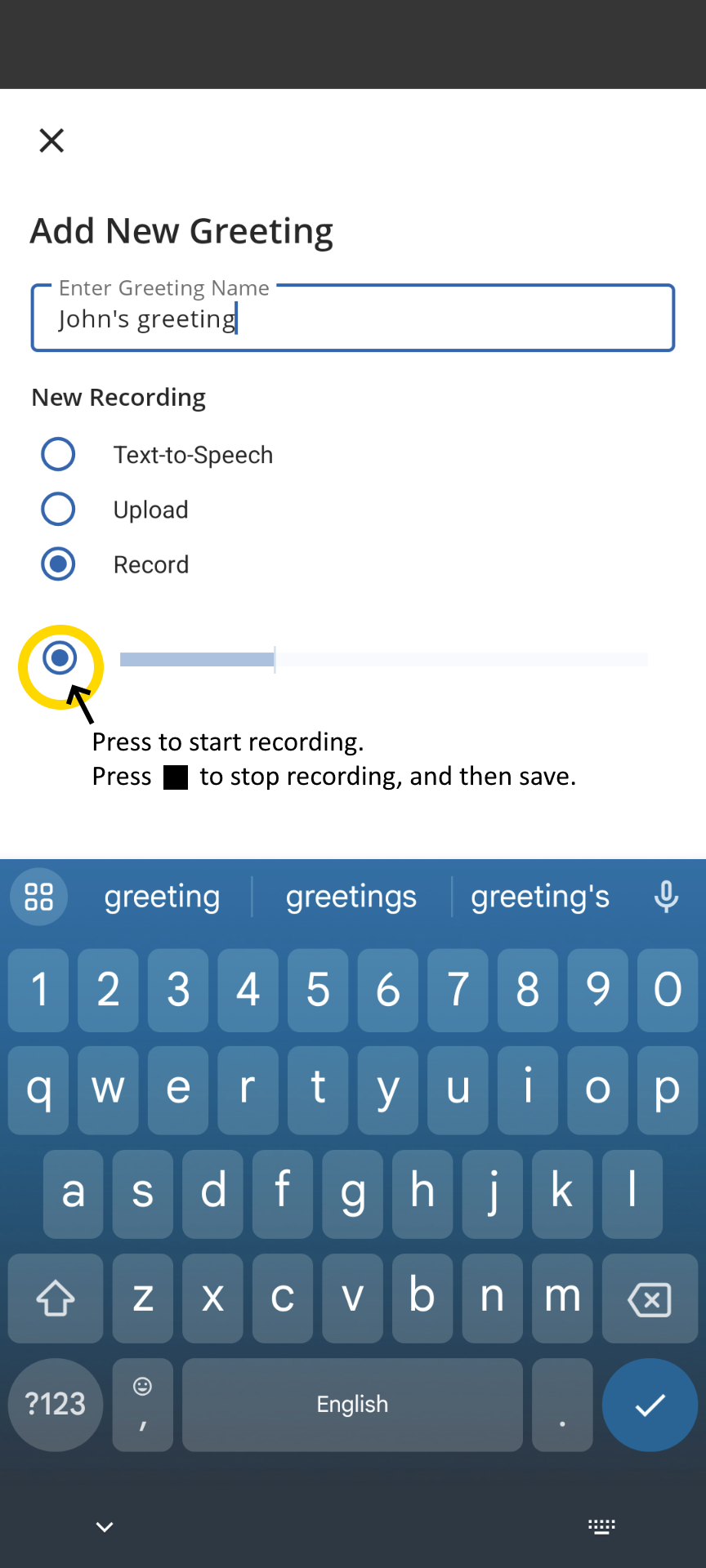
- You can create a greeting using Text-to-speech. Give the greeting a name, and type the greeting, selecting a language and voice.

- To record a greeting, give the greeting a name and start recording
- Once you have created a greeting, select it to make it the active greeting and save.